Design
The assignment called for a handheld electric screwdriver with variable speed control, a digital display, and an automatic bit-selection mechanism capable of switching between ten different screwdriver head shapes and sizes. The tool needed to be ambidextrous, between one and one and a half pounds, at least six inches long, and contain a rechargeable battery.
My design started from the idea of extending a simple tool through programmability while keeping the physical interaction intuitive. The core mechanism is a programmable chuck at the front, inspired by a universal socket but reversed, with internal metal prongs that can actively shape themselves into Phillips or flathead profiles across five sizes each. Direction switching happens by rotating a ring at the base of the shaft, similar to the logic of a ratchet wrench, so the user never has to look away from the work. Speed control is dependent on the pressure applied to the power button, offering an intuitive, continuous range without preset gears. A monochromatic LCD on the side logs the number of screws driven in and out, and a dedicated bit toggle button sits near it to switch between Phillips and flathead modes.
The initial design called for a circular cross-section for the handle to provide a consistent grip from any angle, though material constraints later shifted this in the physical prototype. The shape is symmetrical, so the tool works equally well for left-handed and right-handed users.
In making these choices I was designing primarily for usability and feasibility. Usability shows up in the intuitive direction-switching mechanism and the ambidextrous handle. Feasibility appears in the decision to keep the pressure-based speed control and digital readout straightforward, and in the acknowledgment that the programmable chuck would require precise micro-motors and control systems that push the limits of current consumer-grade hardware.
Sketches
I began with three quick concept sketches to map out chuck structures and control layouts. The drawings focus on the intended circular handle form, testing how the buttons and digital display would sit on a curved surface.
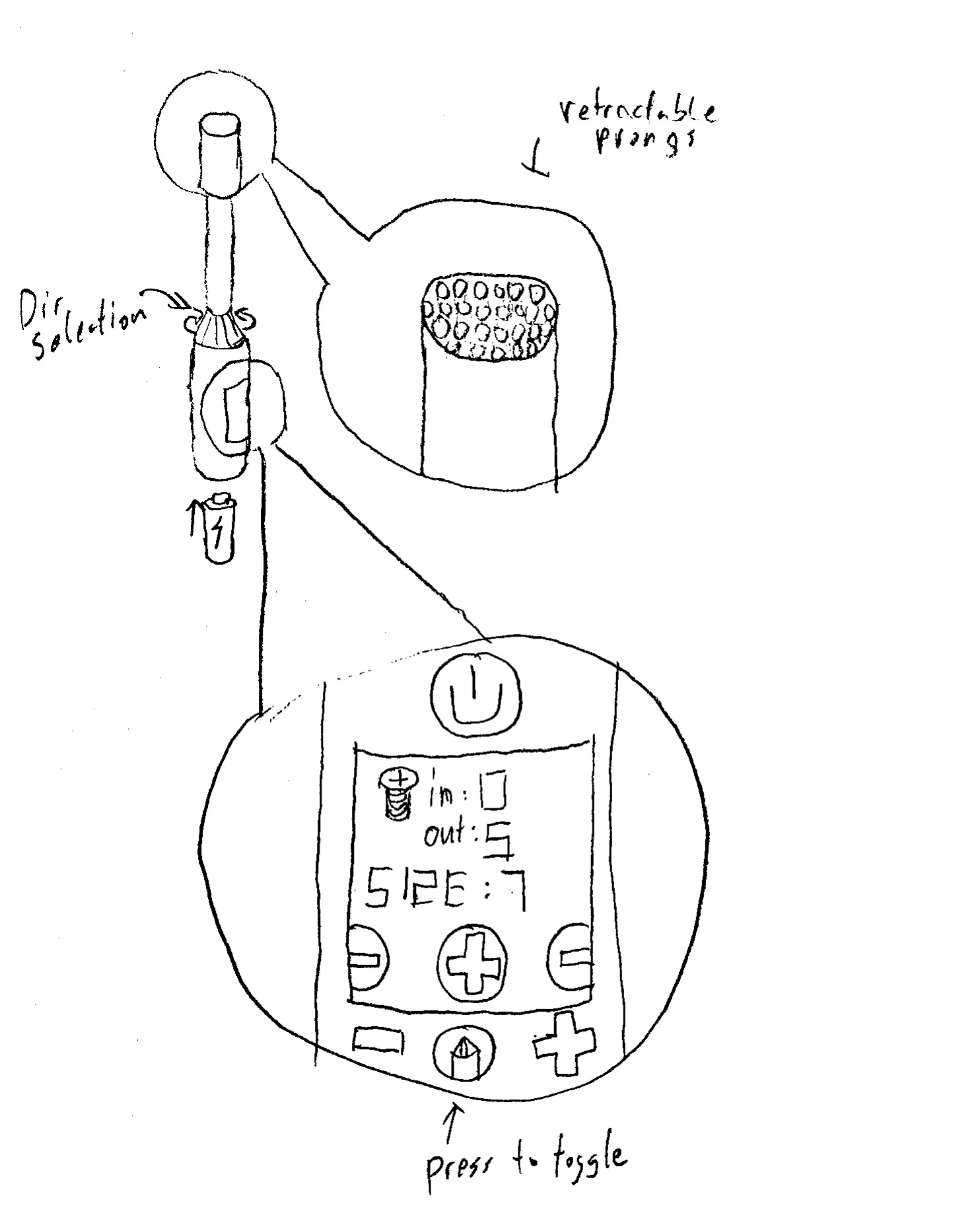
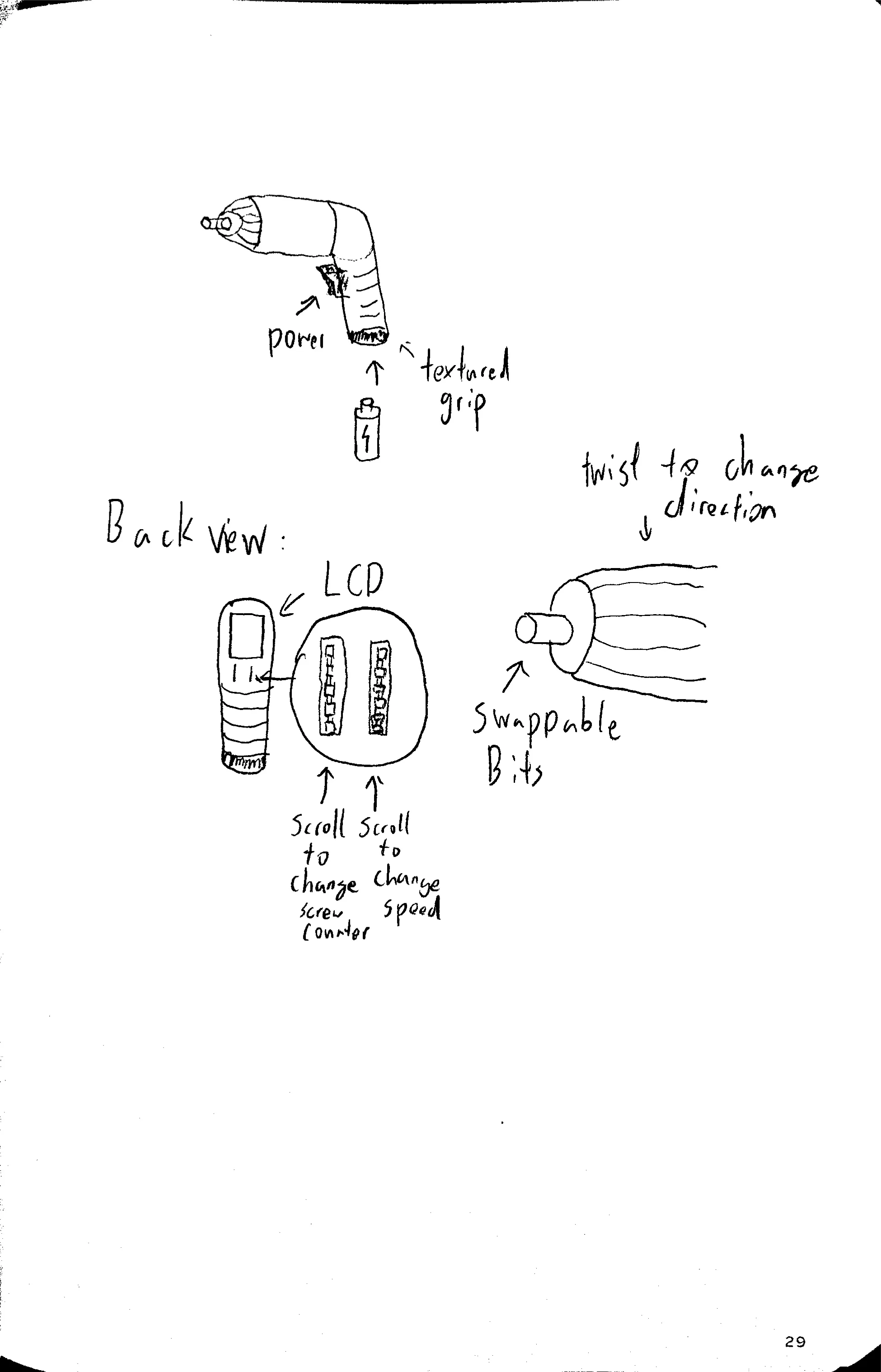
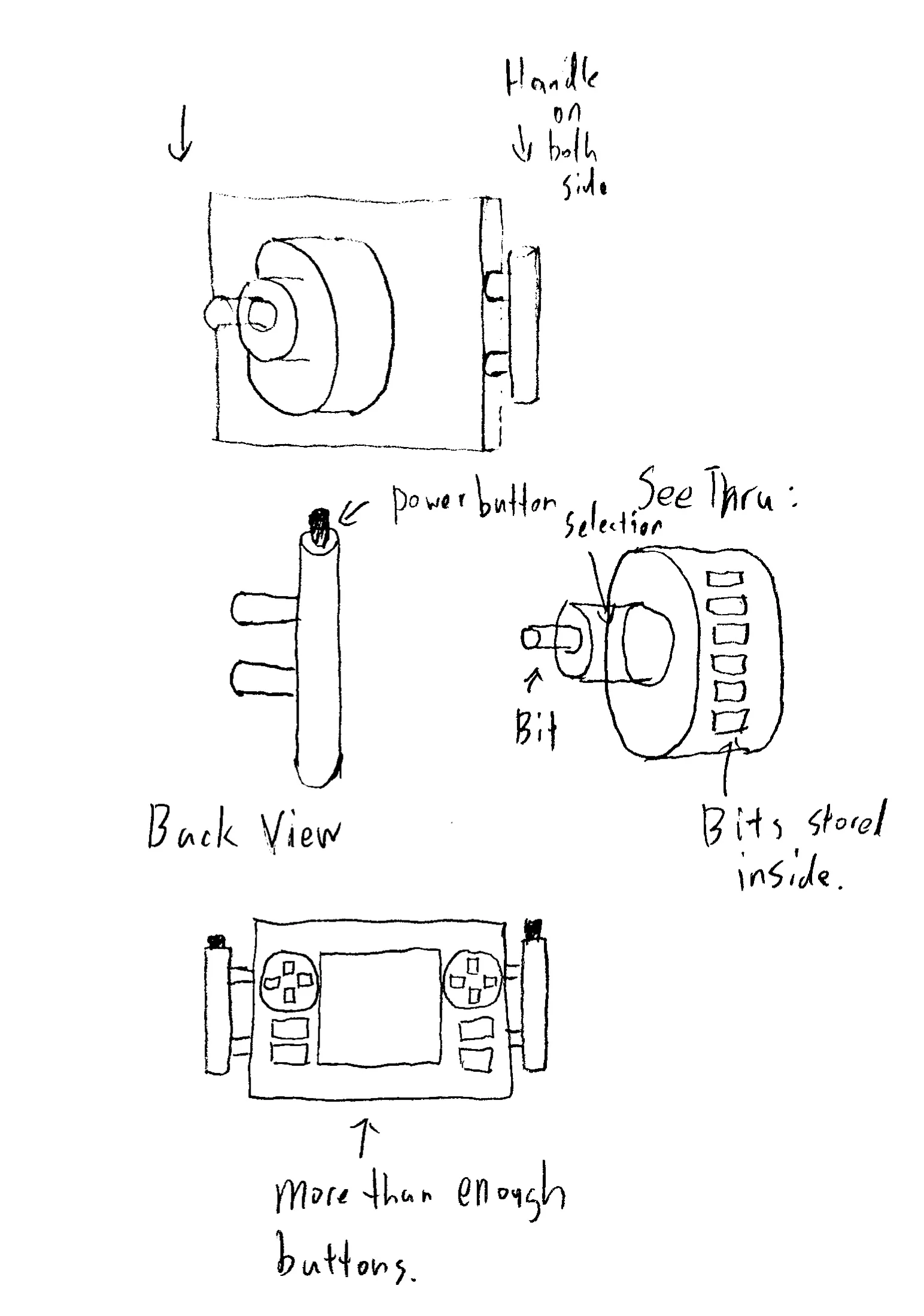
These sketches helped me weigh the placement of the digital readout and how the controls would feel under the thumb. They provided a solid baseline for the interface layout before physical prototyping forced the overall shape to adapt.
Prototype
Because I had limited materials on hand, I built a low-fidelity prototype from a single cardboard box, black tape, a pen, and a quarter-inch socket head. The process from ideation to a testable prototype took about two hours.
The original design intended for a circular handle, but the rigidity of corrugated cardboard made a curved cylinder impractical to build. I folded the material into a triangular handle instead, as a three-sided shape offered the most structural stability given the constraints. I taped a pen to the front of the handle to act as the tool’s shaft, and attached the socket head to the tip of the pen to represent the programmable chuck. The socket’s shape matches the design intent. It acts like a universal socket in reverse, with metal prongs that could be programmed to become any of the ten bit shapes and sizes.
On the side of the cardboard handle I drew an LCD screen showing “IN”, “OUT”, and “SIZE”, along with plus/minus buttons, the bit toggle button, and a press-and-hold power button. The direction-change mechanism was simulated by twisting the base of the pen shaft, mimicking the ratcheting motion of a manual screwdriver.
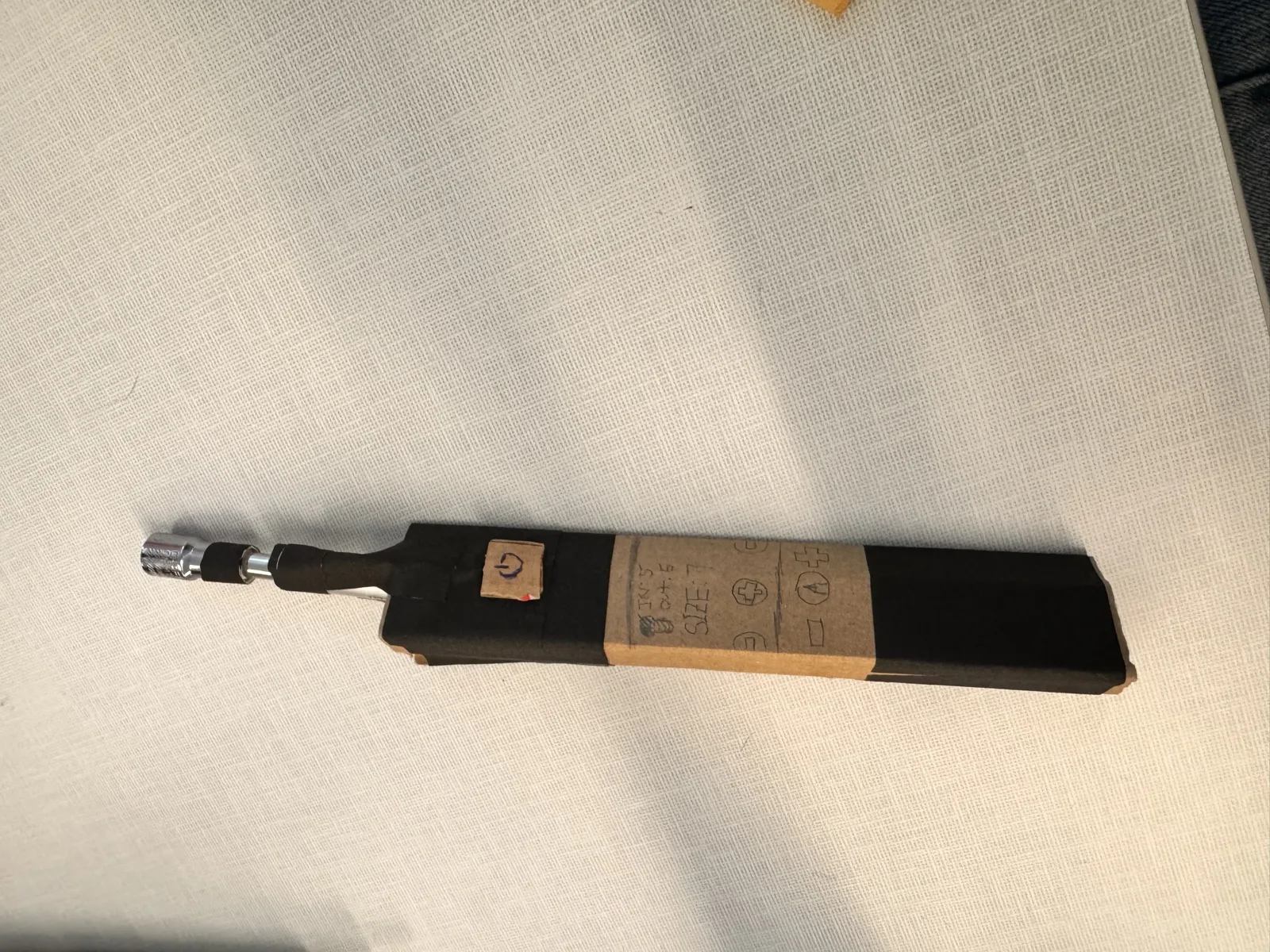
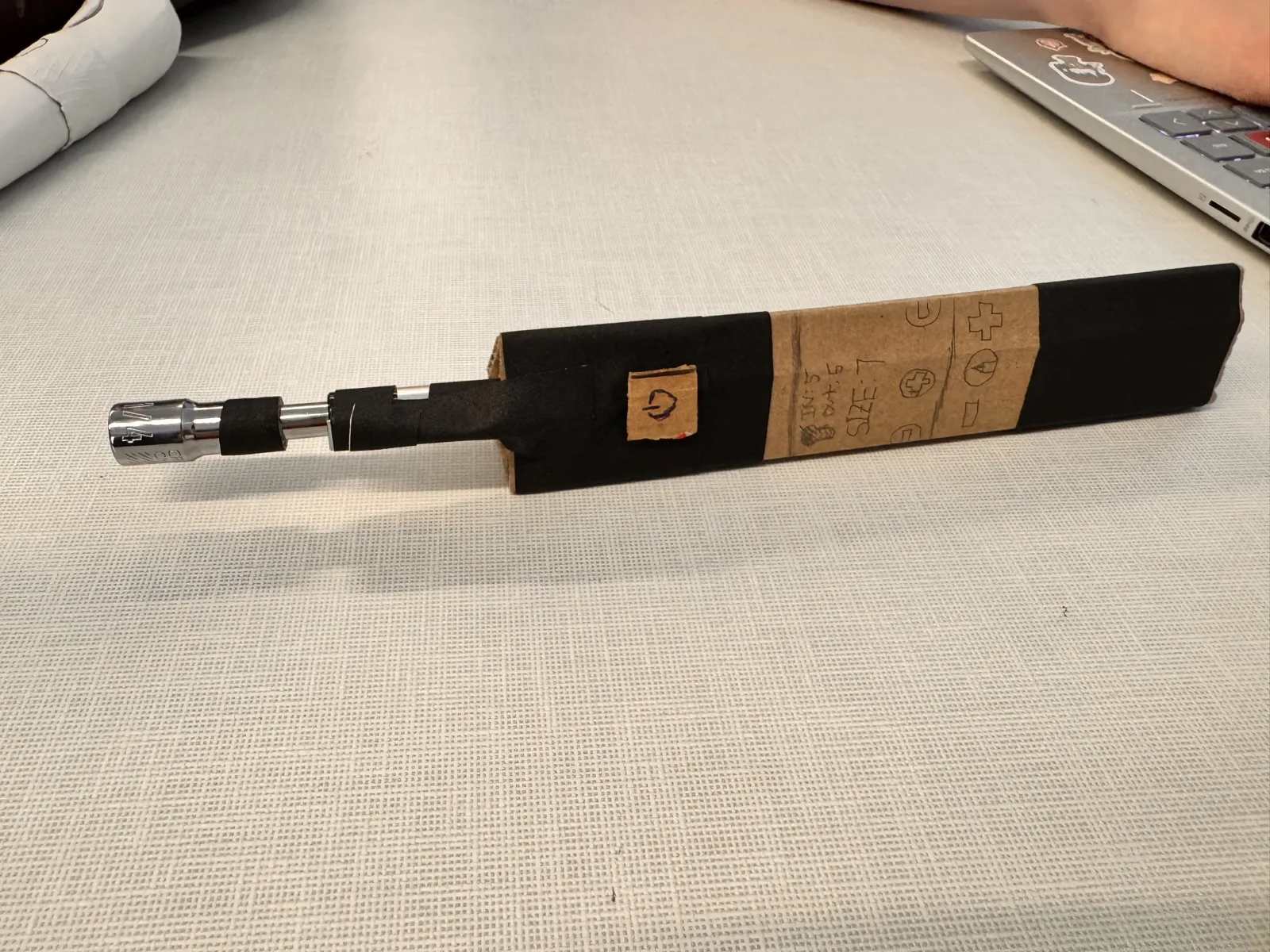
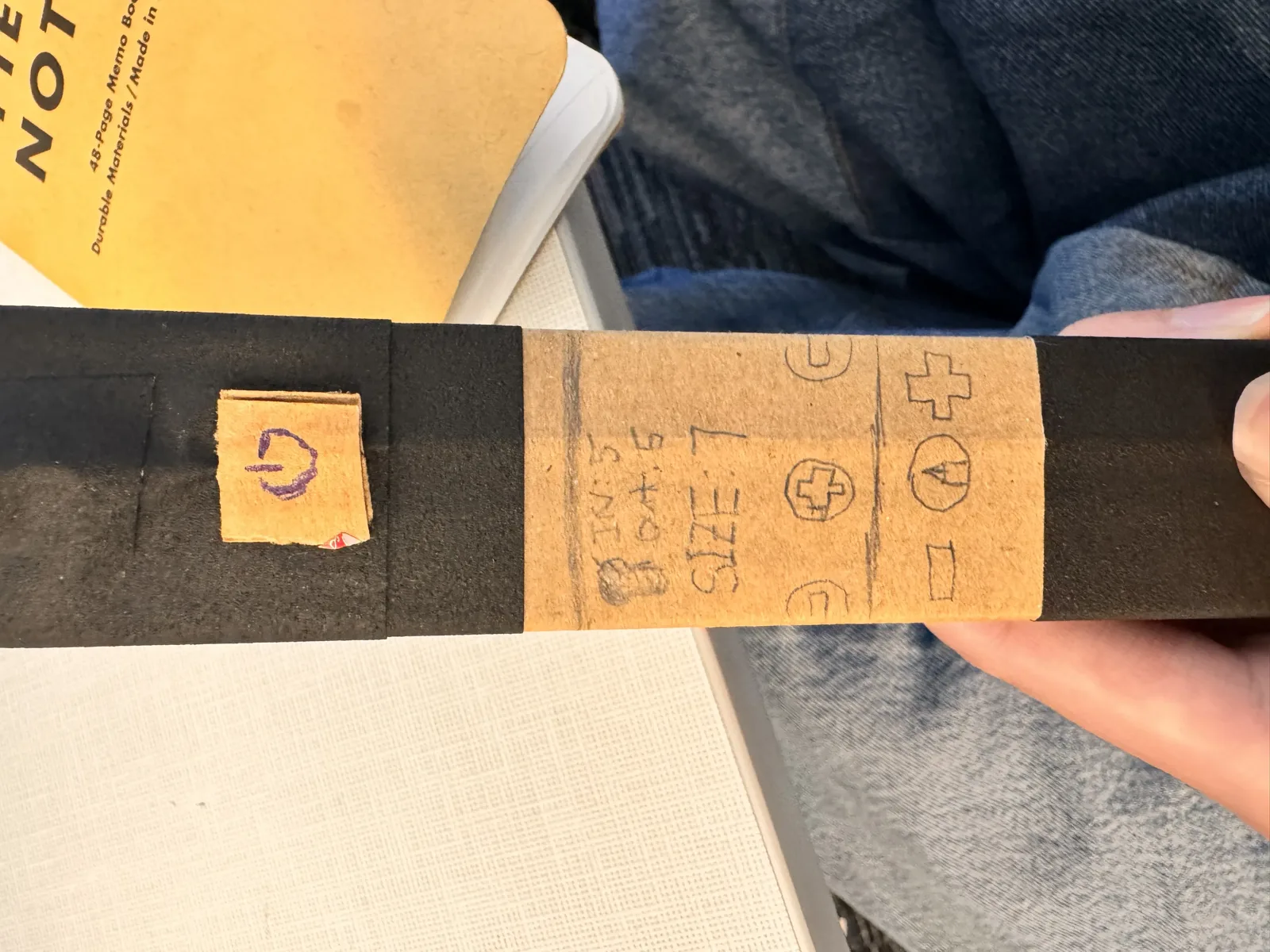
The prototype is obviously far from a functional electric tool, but it captures the core interaction logic: how the user would hold the handle, where their thumb would fall on the pressure-sensitive power button, how they would twist the shaft base to change direction, and how the digital readout would sit in their peripheral vision.
Analysis
I demonstrated the prototype to several classmates during a user-testing session. The feedback fell into two categories: what worked well and what needed improvement.
What worked well: The power button was immediately clear and testers appreciated that it required a press-and-hold action to prevent accidental activation. The direction-switching mechanism, twisting the base of the shaft, was described as intuitive and reminiscent of existing ratchet tools. This meant users didn’t need instructions to understand it. Even though it was born from material constraints, the triangular handle provided a secure grip and felt balanced in both hands.
What needed improvement: Multiple testers pointed out the lack of a hand guard or safety lock, especially given the prototype’s envisioned high speed. A guard around the chuck area would protect the user’s fingers if the bit slipped. A clearer distinction on the power button was requested because it was not obvious whether releasing pressure turns off the device entirely or simply suspends it.
The testing confirmed that the core interaction logic, direction control, power activation, and basic form, holds up. The prototype successfully communicated the intended user experience and elicited specific, actionable feedback about safety and feasibility.
The biggest gap between the prototype and a viable product is the mechanical implementation of the programmable chuck and the addition of necessary safety features. In the initial design I had focused more on how it works than on how it works safely, and the testing made that limitation visible. If I were to iterate, I would design a simpler, more robust bit-changing mechanism and integrate a hand guard from the outset, without sacrificing the intuitive direction switching and ambidextrous handle that testers valued.
Video Demo
A 60-second video of the prototype being tested:
The video shows Runkai operating the prototype, pressing the power button to control speed, twisting the shaft base to change direction.
Custom LLM used for overall log structure generated. The template of the Markdown file this page was rendered from was also generated by the aforementioned model.